
TripSync
TripSync is a travel planning web app designed to help users organize trips, build itineraries, and manage shared travel plans in one place.

Platform Vision
TripSync needed a web app experience that could simplify the way people plan trips together.
Travel planning often becomes messy because ideas, budgets, dates, locations, and decisions are spread across chats, notes, spreadsheets, and map links. TripSync’s purpose is to bring that planning process into one organized platform where users can create trips, invite others, collaborate, and build clear itineraries together. The design direction focused on making the product feel modern, structured, and easy for both solo travelers and groups to use.
Web App Experience
The TripSync web app was designed to help users move from planning ideas to a structured travel itinerary. The interface supports key actions such as creating a trip, adding destinations, organizing activities, managing travel dates, viewing plans, and collaborating with other participants. Since TripSync is centered around shared planning and itinerary building, the layout needed to make information easy to scan, update, and manage. Similar collaborative travel planning products focus on shared itineraries, maps, budgets, and group decision-making, which helped shape the experience direction. The result is a web app that feels organized, flexible, and useful throughout the full planning journey.
Collaborative Planning Flow
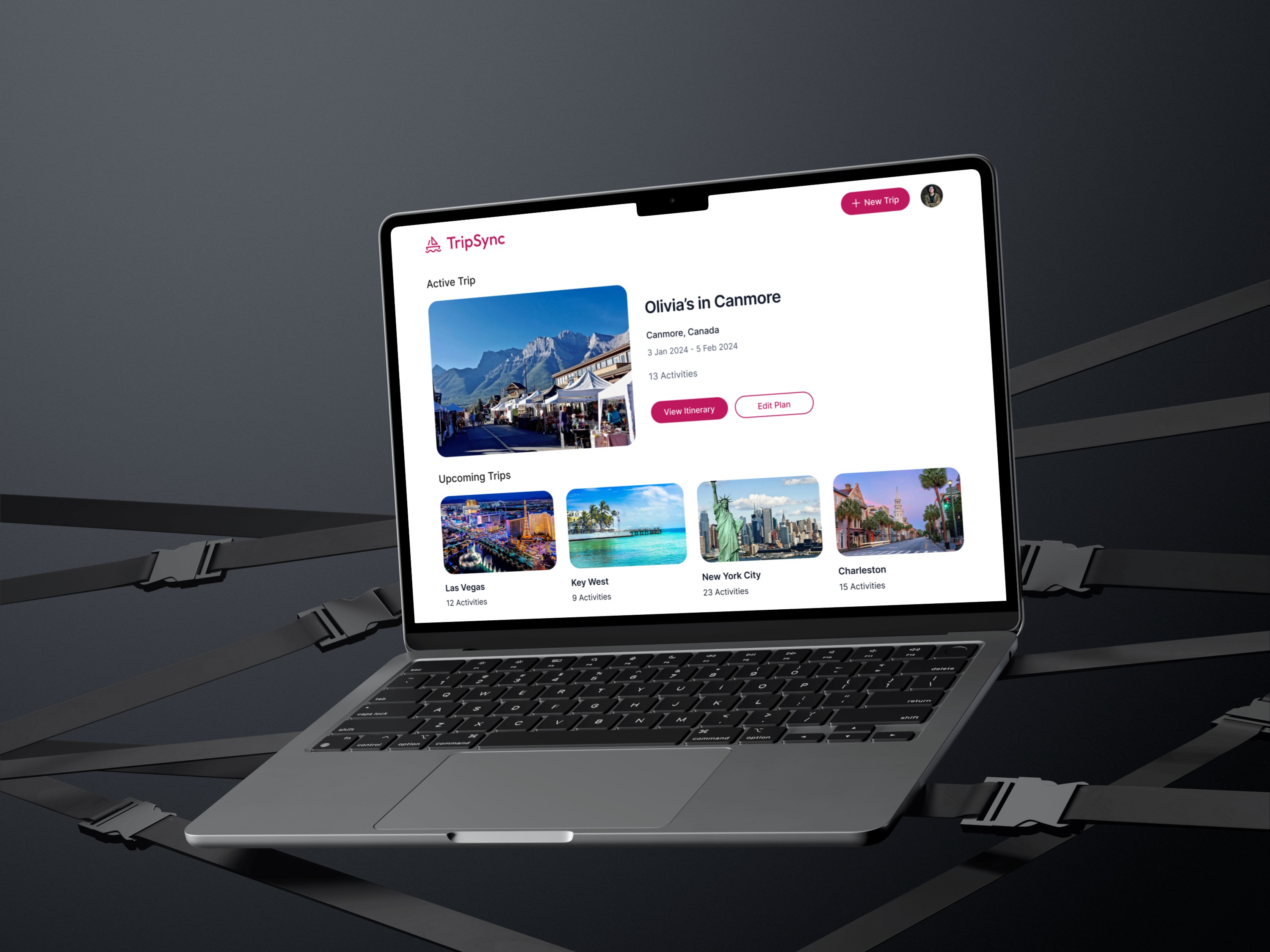
A major focus of TripSync was making group travel planning easier. Instead of relying on long message threads or scattered documents, users can work inside a shared planning space where everyone can contribute ideas and stay aligned. The experience was designed to support collaborative decisions around where to go, what to do, when to travel, and how the itinerary should be structured. This helped create a smoother planning flow where users can move from discussion to action without losing important details.
Itinerary Management
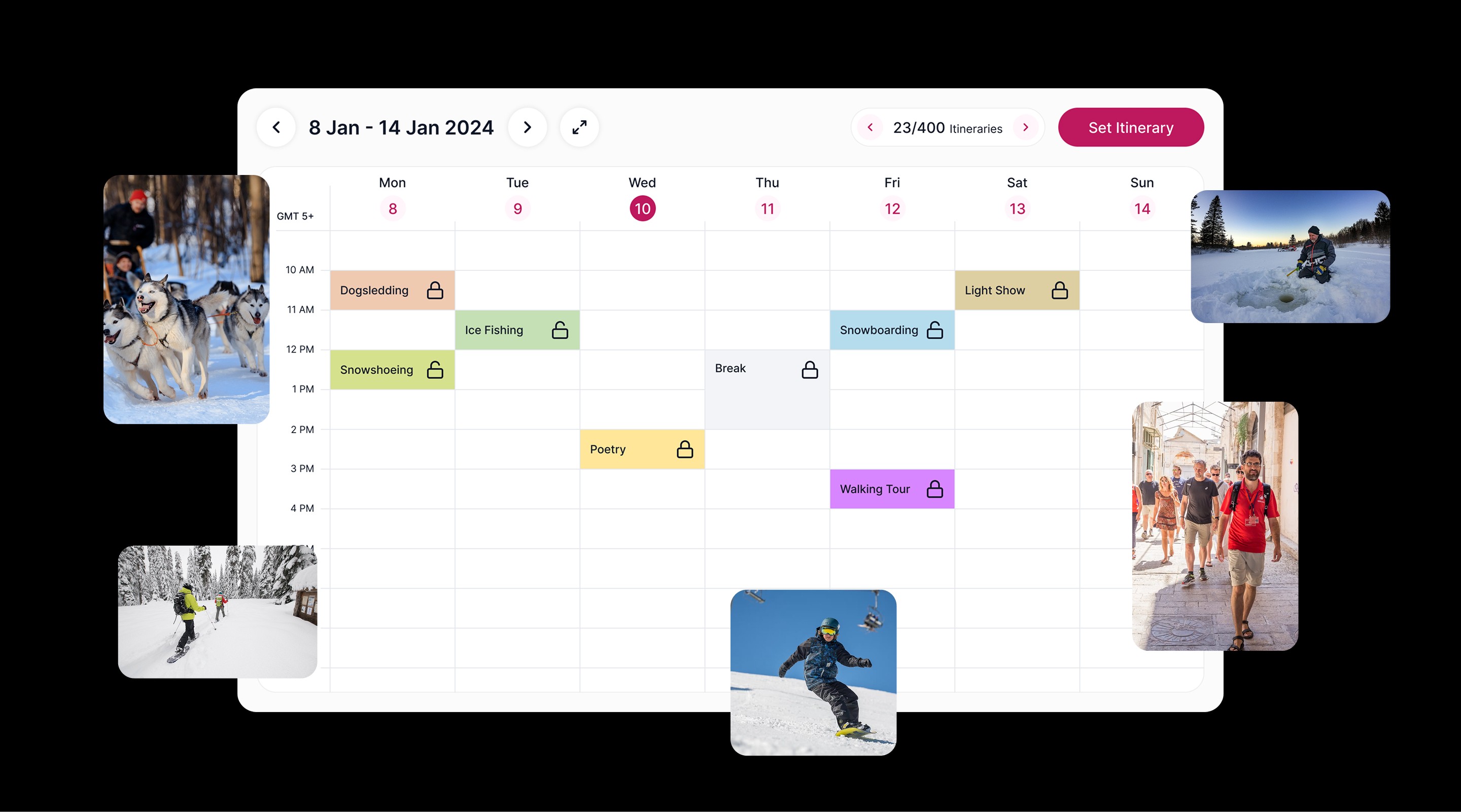
The itinerary experience was designed to make trip details clear and easy to manage. Users need to quickly understand the plan, see what is scheduled, review activities, and adjust the itinerary as decisions change. The interface was structured around clean content blocks, simple day-by-day planning, clear activity details, and strong visual hierarchy. This makes the itinerary easier to follow before and during the trip.

Travel Dashboard
The dashboard experience gives users a central place to understand the status of their trip. From the dashboard, users can review upcoming plans, access important trip sections, manage travel details, and continue building the itinerary. The goal was to reduce friction by giving users one clear starting point instead of forcing them to search across multiple screens. The dashboard was designed to feel calm, organized, and practical for active trip planning.
Map & Destination Experience
Trip planning is highly visual, so destination discovery and map-based context were important parts of the product experience. The design supports location-based planning by helping users understand where activities, places, and trip stops fit within the overall journey. Interactive maps and itinerary tools are commonly used in modern group travel planning products because they help users connect ideas with real locations. The goal was to make destinations easier to explore, compare, and organize inside the web app.